Typing is slow
Opening an app and typing ten tasks with times on a phone keyboard? Most people give up after two.
Free Android app · No login · Works offline
Stop typing to-do lists. Say it the way you think, in English, Hindi or Hinglish, and get a clean, timed plan with reminders. Only what you say gets added.
The problem
Calls, bills, the gym, that one email. Writing it all down takes longer than doing half of it, so most of it stays as loose thoughts until something slips.
Loose thoughts, no times, nothing reminds you.
One sentence later: sorted, timed, with reminders.
Opening an app and typing ten tasks with times on a phone keyboard? Most people give up after two.
They add breaks, buffers, fake times and priorities you never asked for, and then you can't trust the list.
A beep, a pause to think, and it stops listening. It also mishears names and numbers.
Most apps only understand textbook English, not the way people actually talk.
Many assistants stop working the moment you're in a lift, a metro or on patchy data.
Sign up, verify email, pick a plan. You just wanted to remember to call the bank.
The solution
Each problem above has a direct answer in the app.
Problem: typing is slow
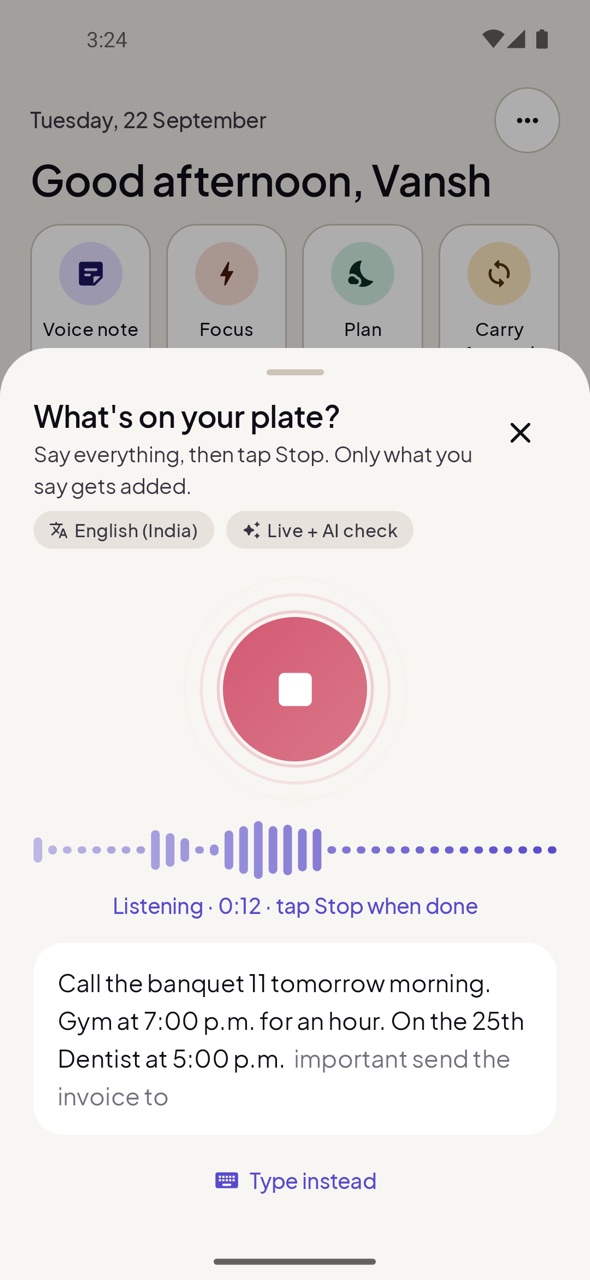
Recording starts as soon as the voice sheet opens. Talk for as long as you need; pauses are fine. Your words appear live while you speak, and the plan is ready when you stop.
Problem: AI makes things up
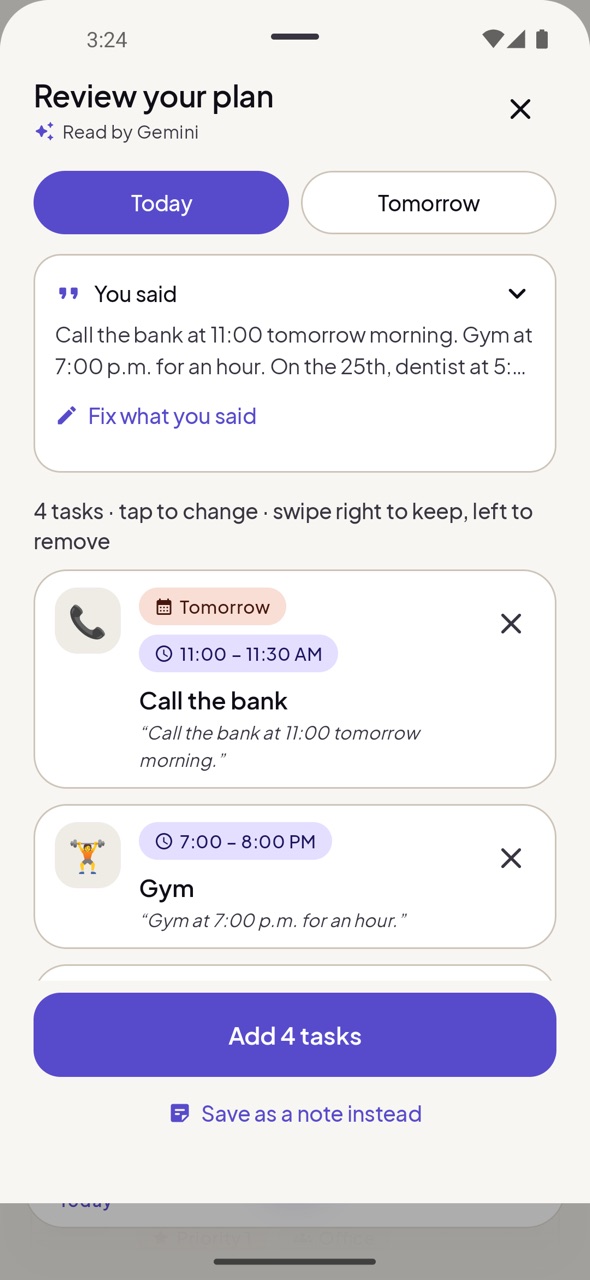
Every task is checked against your own words and shows the exact phrase it came from. A time you didn't say stays “Anytime”. A priority you didn't set isn't added. Anything the AI invents is removed before you see it.
Problem: voice typing beeps, stops and mishears
The app records you itself and streams the same audio to your phone's recognizer, so there's no beep and no restart when you pause. After Stop, the AI listens to the recording and fixes only the words the phone got wrong, without changing what you meant.
What the phone heard
Review request set 3:00 p.m. for an hour.
After the AI check
Review pull requests at 3 pm for an hour.
Problem: apps don't understand how you talk
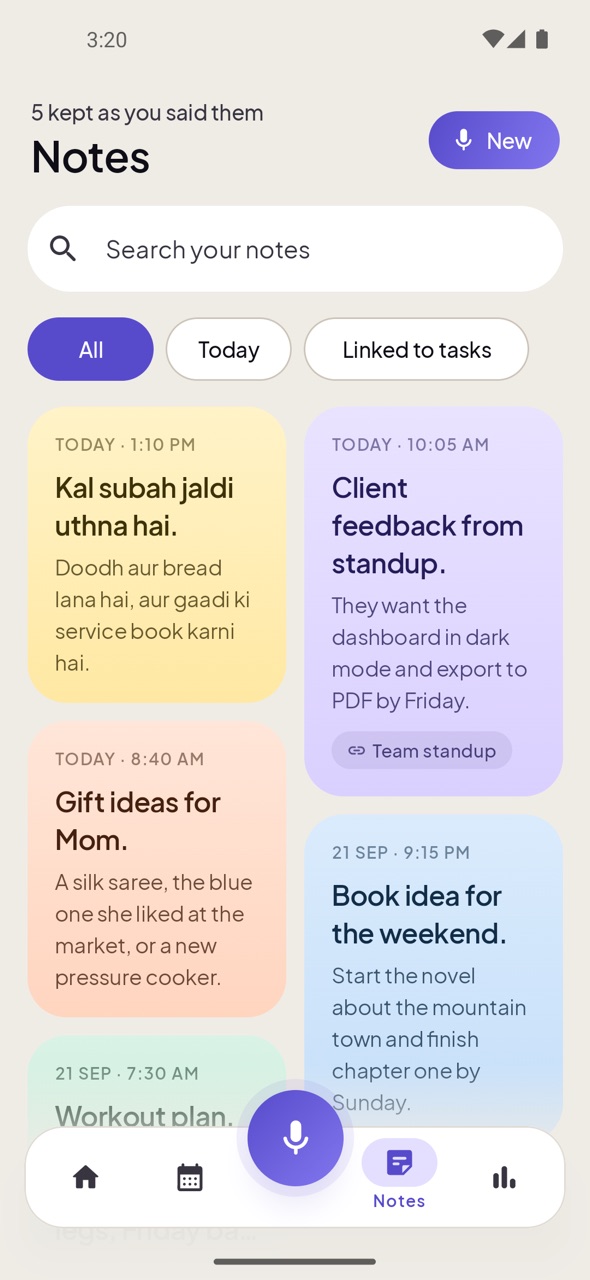
“Kal subah jaldi uthna hai, doodh aur bread lana hai” works just like “Call the bank at 11”. Times like “7 baje” and “do ghante” are understood, and notes are saved word for word in the language you used.
Problem: things slip by
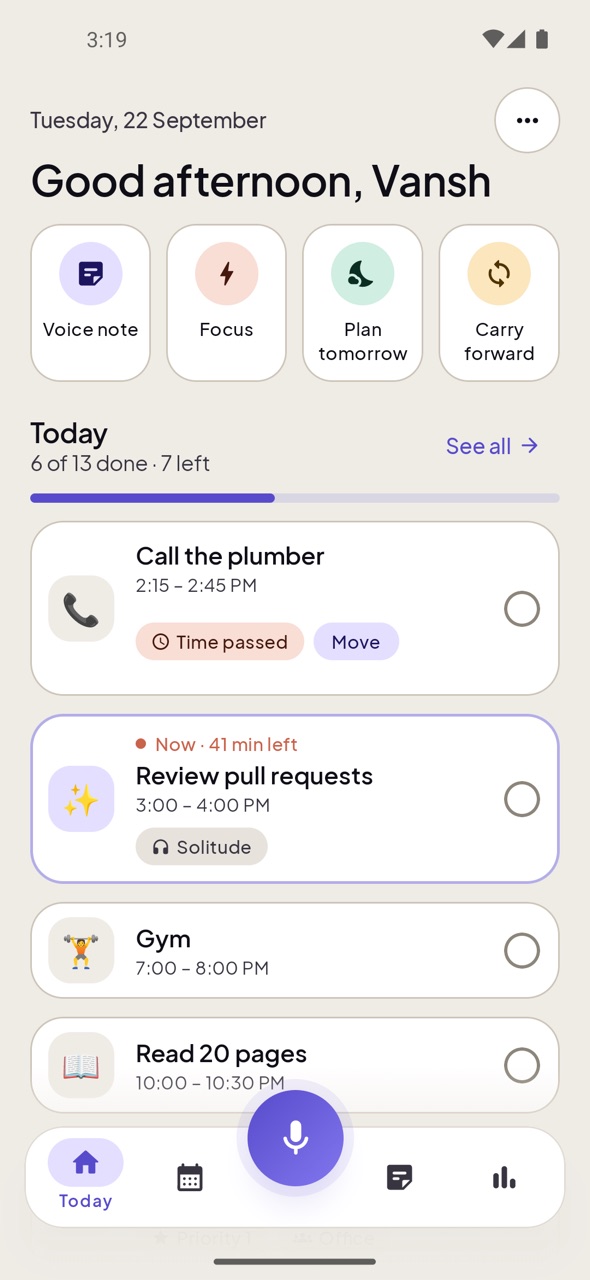
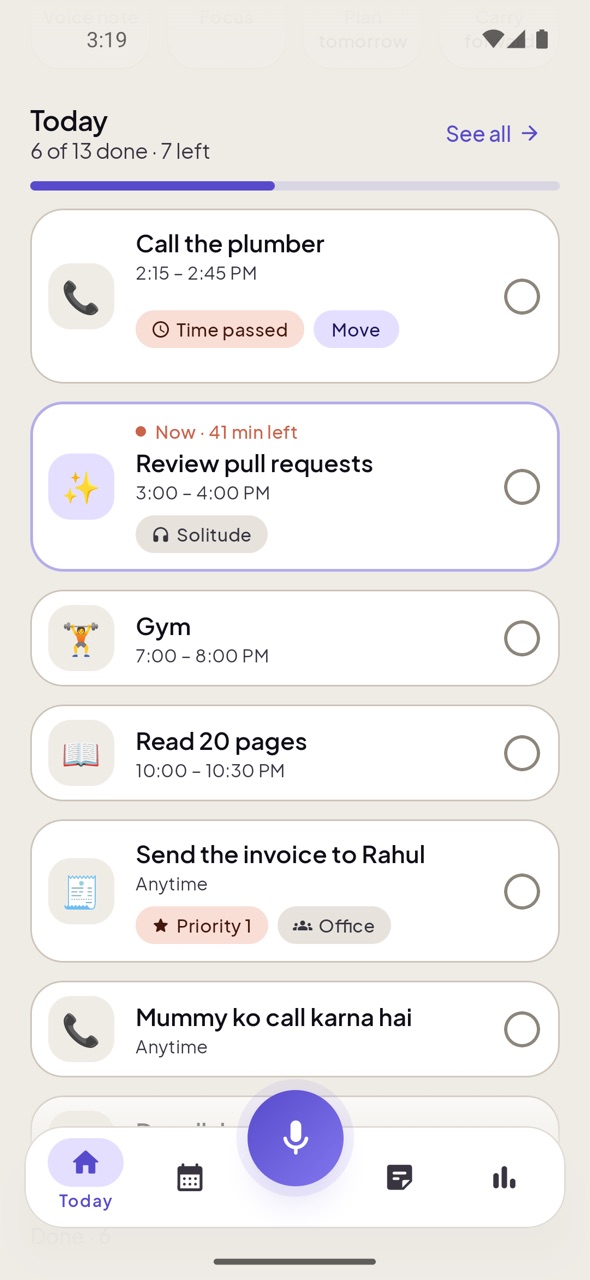
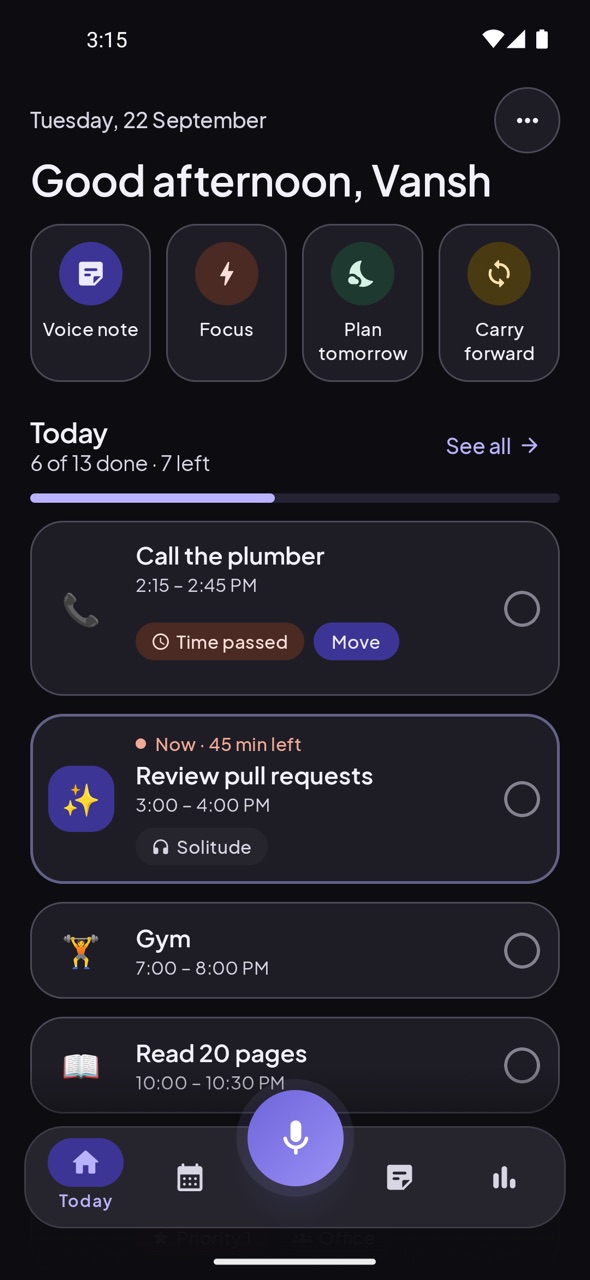
You get a reminder before each timed task and a chime when it starts. Home shows every task of the day in order, with the one happening now marked. When a task's time has passed it says so: tick it off, Move it to later or tomorrow, or swipe it away. Nothing silently disappears.
Problem: no signal, no app
Without internet, your phone's own speech recognition and the built-in planner keep working. The AI check simply joins in when you're back online.
Problem: accounts for everything
Install and speak. There's no account, email or subscription. Your plans and notes are stored on your phone, not in someone's cloud, and you never need an API key.
For a team
Working alone needs no account at all. When you do work with others, one person creates an office and shares its code — and the app changes into that office, without mixing with anyone's private day.
The office, not a second app
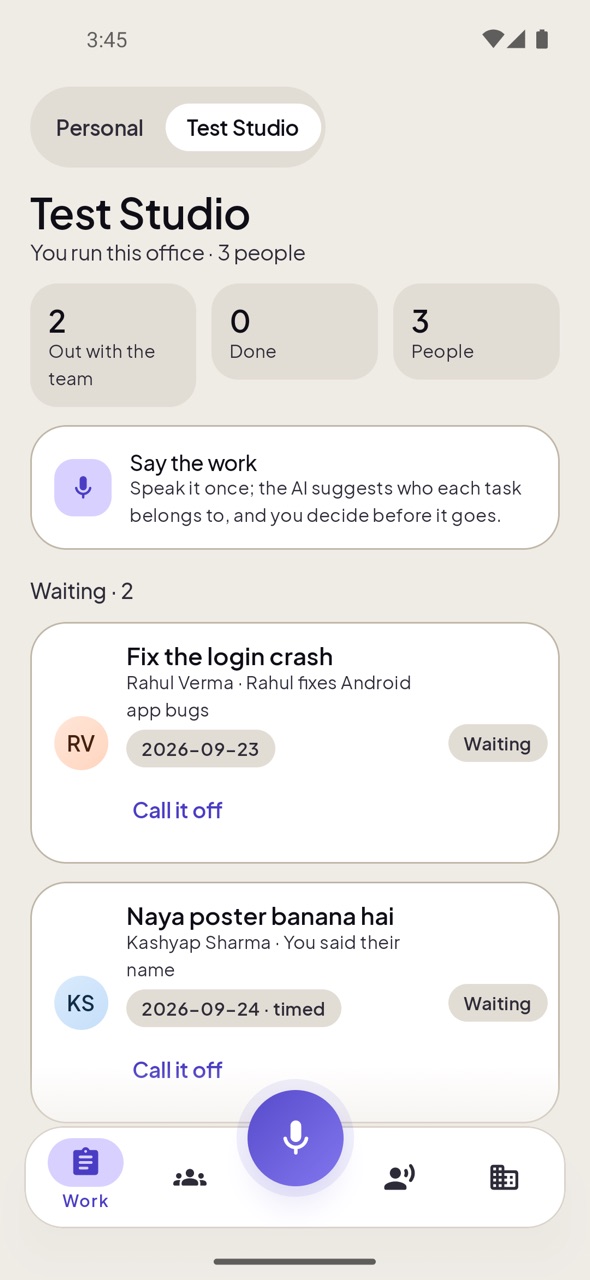
Tap your office's name and the whole app becomes that office: the work you handed out and how far it has got, the team and what each person does, and the meetings. Tap Personal and it's your own quiet day again.
Who should do it?
Each person writes what they do once. After that, work you speak is matched to the right person — by role, by skills, and by how much is already on them — with a few words saying why. Say a name and that settles it.
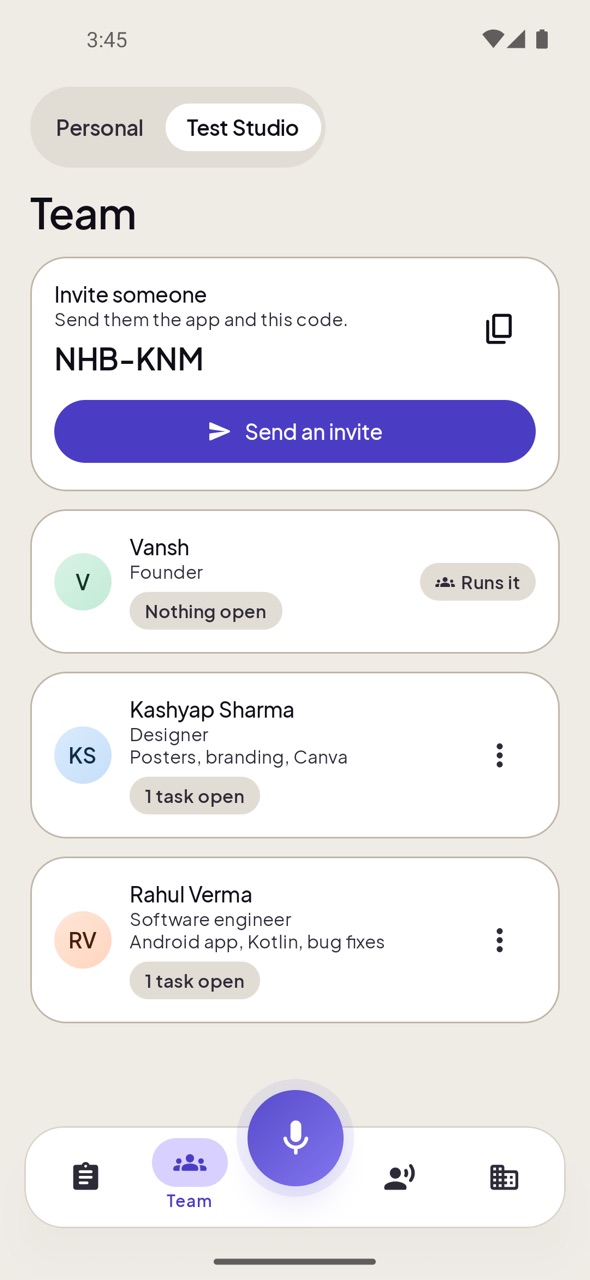
Make an office and send the code. Whoever joins says what they do — “Software engineer”, “Social media” — and that is all the setup there is.
“Kashyap ko bolo ki poster banana hai 11 baje.” The AI reads everyone's role, skills and how much they already have, suggests who each task belongs to, and you change anything before it goes.
The task appears on that person's own plan, marked with who gave it. They tick it off, or say what's in the way, and you see it.
Leave the recorder running. At the end you get the whole thing written out, and the work inside it goes out to the people it belongs to.
Every request is checked against who you are and which office you're in. Two offices never see each other, and someone outside sees nothing at all.
Switch back to Personal and the office is gone from view. What you plan for yourself is never shared with the team.
How it works
Tap the mic and say everything on your mind. Words appear live.
See each task with the words it came from. Keep, edit or swipe away.
Your timeline, reminders and calendar are set. Check things off as you go.
Screens
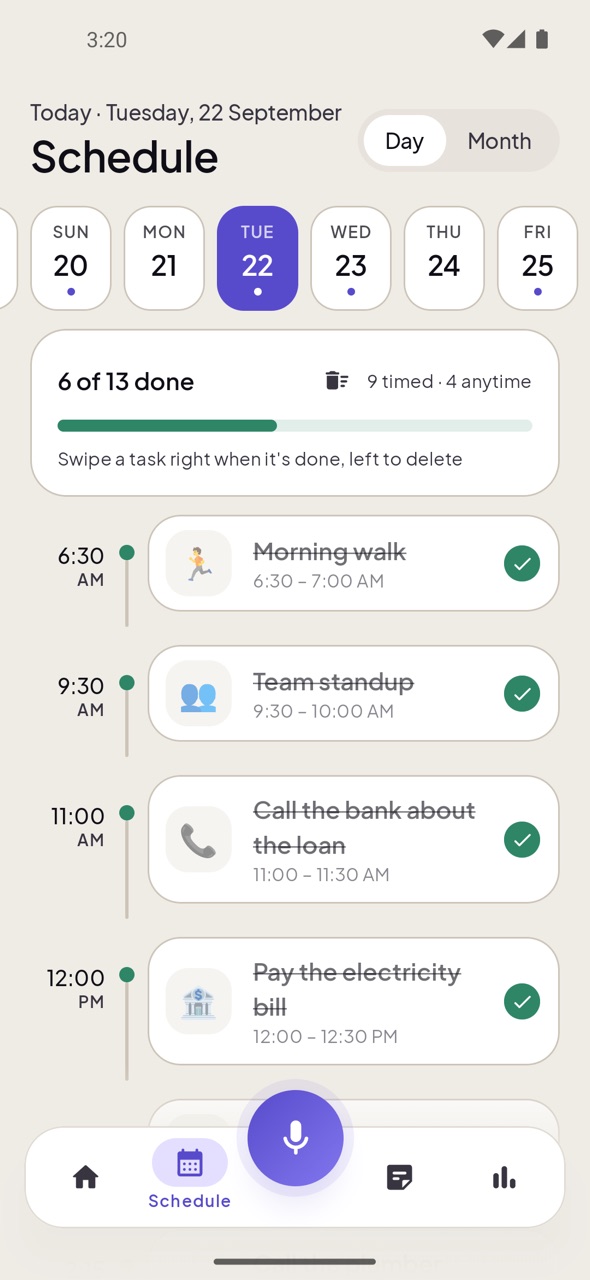
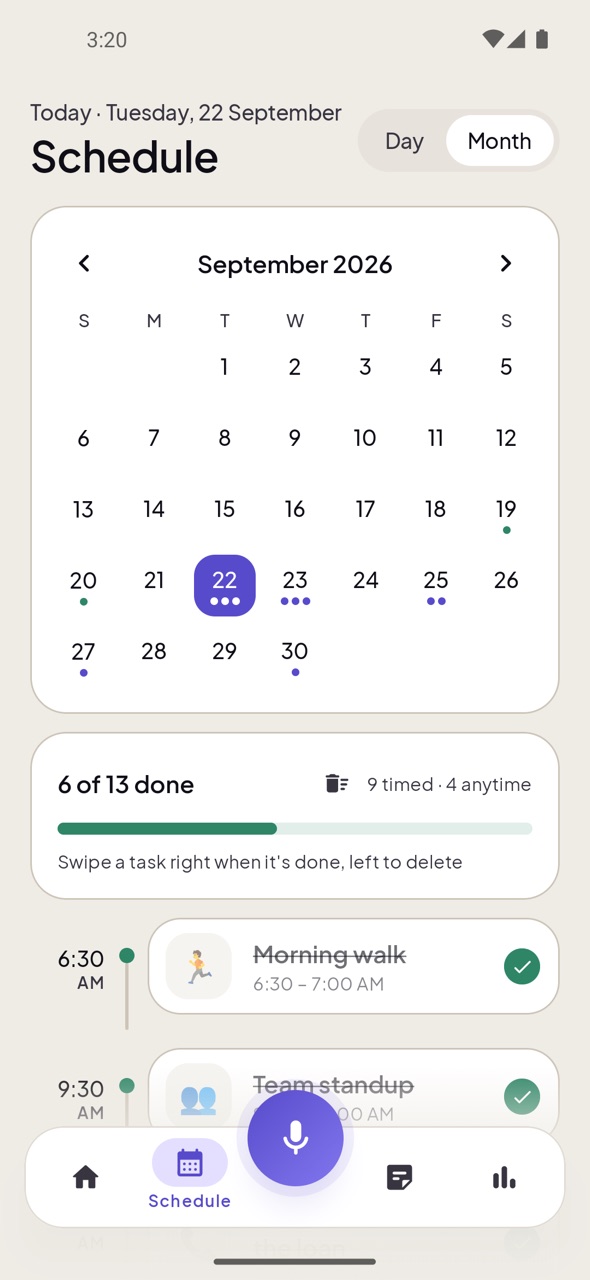
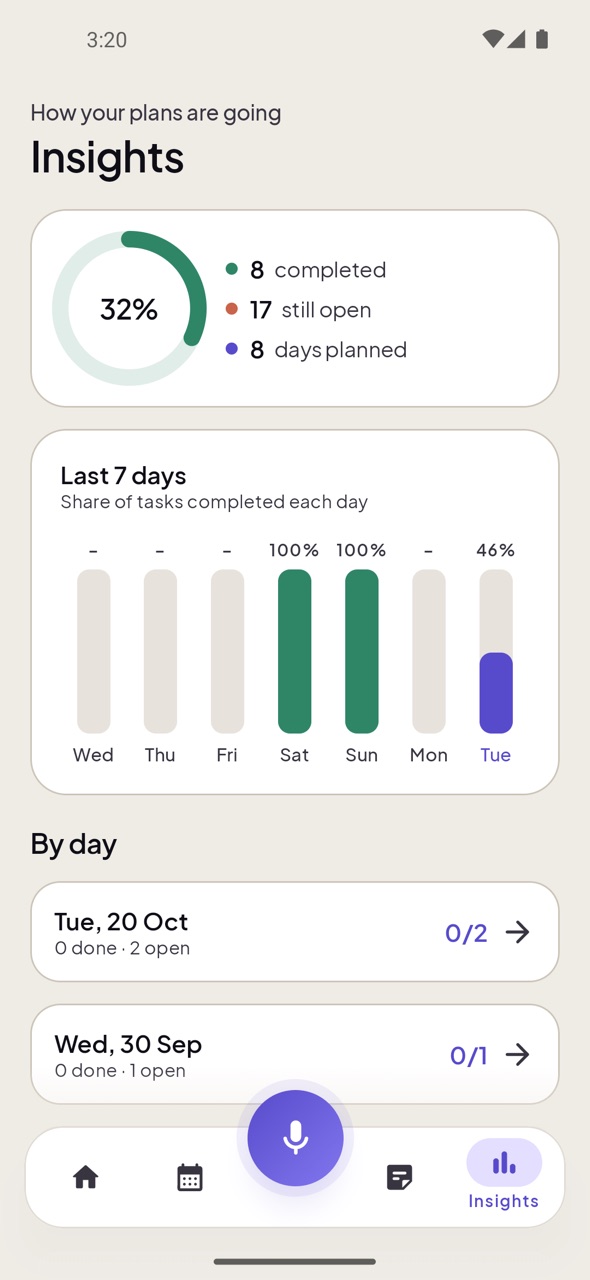
Real screenshots from the app, in light and dark.
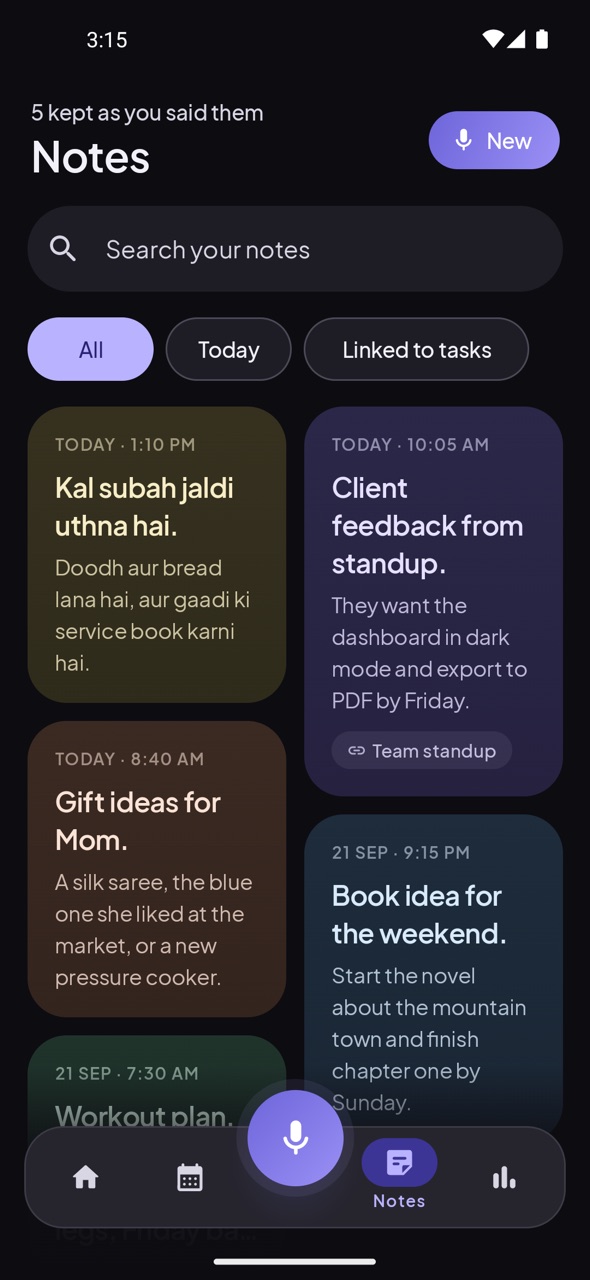
Everything included
An hourly timeline plus a month calendar. Tap any date to plan it.
A reminder before each task and a clear chime when it starts, even on vibrate.
Timed tasks become calendar events; edits and deletes stay in sync.
Everything you said is kept for 90 days, so you can reuse it instead of saying it again.
“What should I do now?” with a 25-minute timer and optional Do Not Disturb.
See how much you finish each day, without guilt trips.
“20 tarik ko”, “Friday ko”, “kal”: each task lands on the day you said, not today.
Shut an app for a stretch, or give it so many minutes a day. When they are gone, it stops opening until tomorrow.
Weigh a task, write thirty seconds a day, and the month says what mattered, where time leaked, and what to hand over next.
New versions arrive inside the app: one tap downloads and installs them.
Under the hood
For the curious: the details that make it fast and trustworthy.
Developer
Designed and built Voice Day Planner
I wanted a planner I could talk to like a friend, in the mix of Hindi and English I actually use, and that wouldn't pad my day with things I never said. Voice Day Planner is that app: quick to speak to, honest about what it heard, and private by default.
Found a bug or have an idea? Email me. Feedback shapes every update.
On a computer? Scan to open this page on your phone.
Android may say the app is from an unknown source because it isn't from the Play Store. The APK is built and signed by the developer.
FAQ
Yes. No ads, no subscription and no in-app purchases.
No. There is no login of any kind. Install it and start speaking.
Yes. Your phone's speech recognition and the built-in planner work offline. The AI check needs internet and is skipped when you're offline.
English (India or US), Hindi, and Hinglish, the natural mix of both. You can also use your phone's language.
No. Every task is checked against your own words, and you review the plan before anything is saved.
Your plans, notes and voice history are stored on your phone. When the AI check is used, the recording goes through the app's server to the AI (Google Gemini by default) to be written out, and is not kept. The app also shares anonymous usage with the developer (phone model, app version, rough location and how many tasks you have, never what you say or write). You can turn that off in Settings → Privacy.
No. The AI is set up by the developer on the app's server, so it just works. Without internet, your phone reads your words instead.
When a new version is out, the app shows “Update available” on the Home screen. Tap it and the update downloads and installs, with your plans kept as they are.
Apps installed from outside the Play Store show this warning. Allow “Install unknown apps” for your browser once, then install.